Pro Orc
Visual Command Center for your AI-powered development workflow.
100%
Open Source
0
Config Required
Native
macOS App
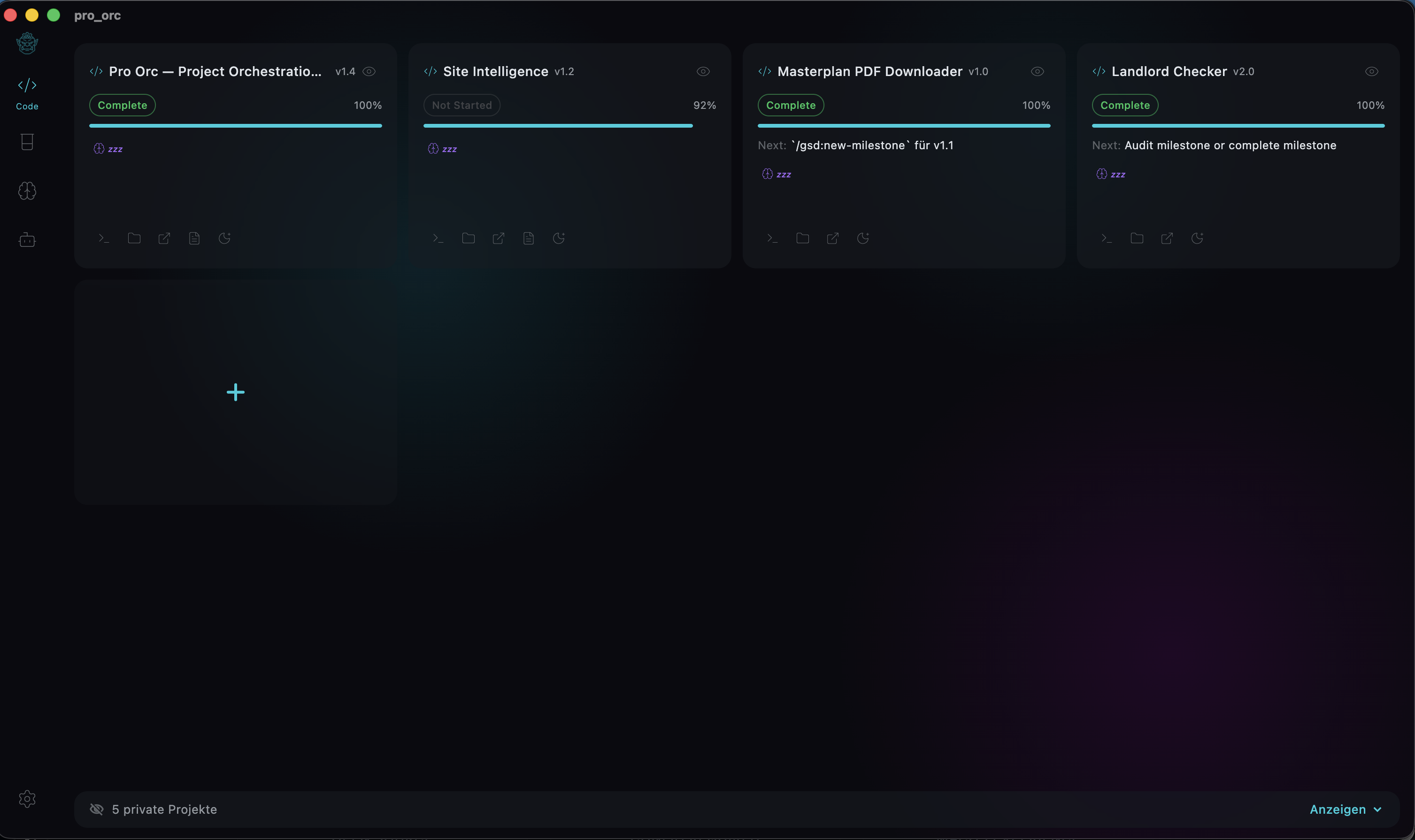
Pro Orc is the missing interface layer between you and Claude Code. A native macOS app that maps your entire Claude Code ecosystem into a format you can parse at a glance.
The Challenge
Claude Code is a beast. It ships features, debugs systems, and orchestrates entire development workflows from the terminal. But the moment you're managing multiple projects — each with their own skills, plugins, subagents, and configurations — the CLI becomes a black box.
You lose track of which project has which skills installed. You forget what subagents are available. Plugin configurations live in scattered JSON files across your filesystem. There's no single place to see the full picture of your AI-augmented development setup.
The terminal is powerful, but it was never designed to be a dashboard.
The Solution
Pro Orc puts a visual command center in your macOS menubar. One click opens a native, beautifully designed interface that maps your entire Claude Code ecosystem — projects, skills, plugins, subagent configurations — into a format your brain can actually parse at a glance.
It reads your local project structures, surfaces skill registrations, tracks plugin states, and presents everything through a clean, scannable UI. Think of it as the GUI layer that Claude Code never shipped — built by someone who uses it every single day.
No browser. No Electron. No web wrapper. Just a pixel-perfect native macOS app that loads instantly and stays out of your way until you need it.
Content-Updates per Chat — kein CMS nötig
Der Vorstand schreibt eine Nachricht in die Telegram-Gruppe. Ein OpenClaw-Bot erkennt die Änderung, aktualisiert die Website und deployed automatisch auf Vercel. Kein Login, kein Backend, kein CMS — nur eine Chat-Nachricht.
Built for the AI-Native Developer
Every feature designed for developers who orchestrate with AI — not just code with it.
Project Orchestration
See every Claude Code project at a glance — active sessions, installed skills, running subagents, and real-time status. Your entire AI workflow, unified.
Skill & Plugin Manager
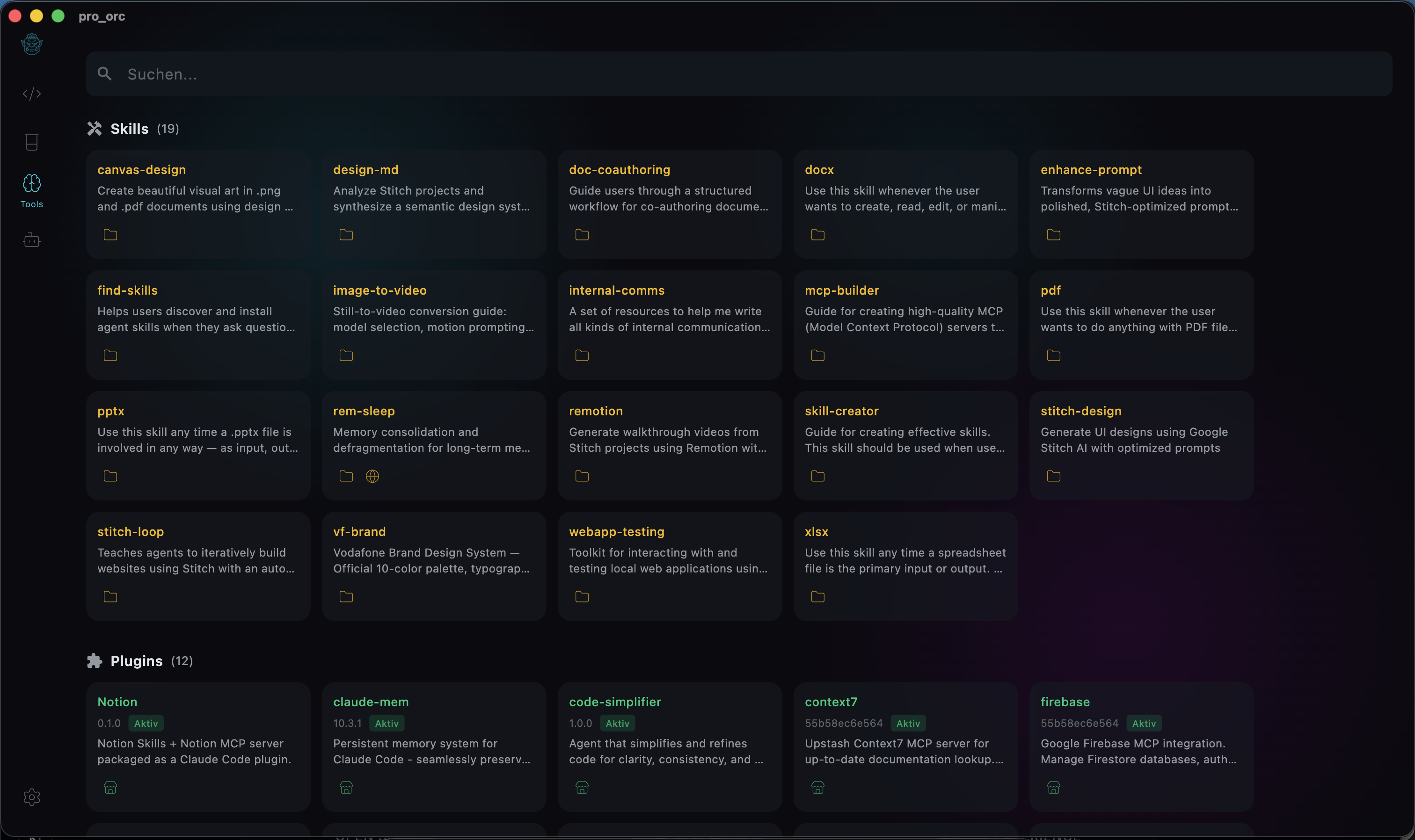
Browse, activate, and configure skills and plugins across projects without touching JSON files. Visual management for your AI toolkit.
Subagent Dashboard
Monitor spawned subagents, track their progress, and understand your orchestration topology. The control plane Claude Code deserves.
Terminal → GUI Bridge
Everything Claude Code does in the terminal, visualized in a native interface. The power of CLI with the clarity of a dashboard.
Instant Access
Lives in your menubar — your full project orchestration view is literally one click away. Zero startup time, zero friction.
Native Performance
Built with Flutter for pixel-perfect macOS integration. Dark mode, system notifications, keyboard shortcuts — it feels like it belongs.
Powered By
Interested in working together?
I build intelligent tools and products that solve real problems. Let's discuss how AI can accelerate your next project.
Let's Talk